

Download Crosshair Magic - in game overlay – crosshair overlay, game overlay, customizable crosshairs, in game crosshair, gaming utility, competitive gameplay, FPS gaming
Overview
Crosshair Magic - in game overlay is a mobile utility designed to enhance the gaming experience for players seeking precision and personalization in competitive environments. Targeted primarily at FPS (First-Person Shooter) gamers, the app functions as a customizable in-game overlay tool that enables users to display a tailored crosshair during gameplay. By integrating seamlessly into various gaming scenarios—whether in fullscreen or windowed mode—the app aims to improve aiming accuracy and visual consistency across different titles. Its core purpose lies in offering a flexible solution for gamers who want to fine-tune their aiming interface without relying on game-specific settings or third-party software.
The app operates as a standalone overlay utility, allowing users to create, modify, and share unique crosshair designs. This functionality supports both individual expression and community-driven innovation, particularly through integration with platforms like the Steam Workshop. Although the developer, Crosshair Magic, has not disclosed additional background details, the app’s focus on performance and customization suggests a targeted approach to serving a niche but growing segment of mobile and hybrid gamers. Real-world use cases include training sessions, competitive matches, and casual play where visual clarity and personal preference play a significant role in gameplay efficiency.
Within the mobile app ecosystem, Crosshair Magic fills a gap by bringing desktop-level overlay customization to Android devices. Its presence underscores the increasing demand for cross-platform gaming tools that bridge the gap between mobile and PC experiences. As mobile gaming continues to evolve, tools like this contribute to a more immersive and customizable environment, empowering users to tailor their interface to their unique playstyle.
Key Features & Functionality
- Seamless Fullscreen Compatibility: Leveraging GameBar technology, the app ensures that the crosshair overlay remains visible and stable even in fullscreen gaming modes. This feature is critical for maintaining consistent aiming reference points across different games and screen configurations.
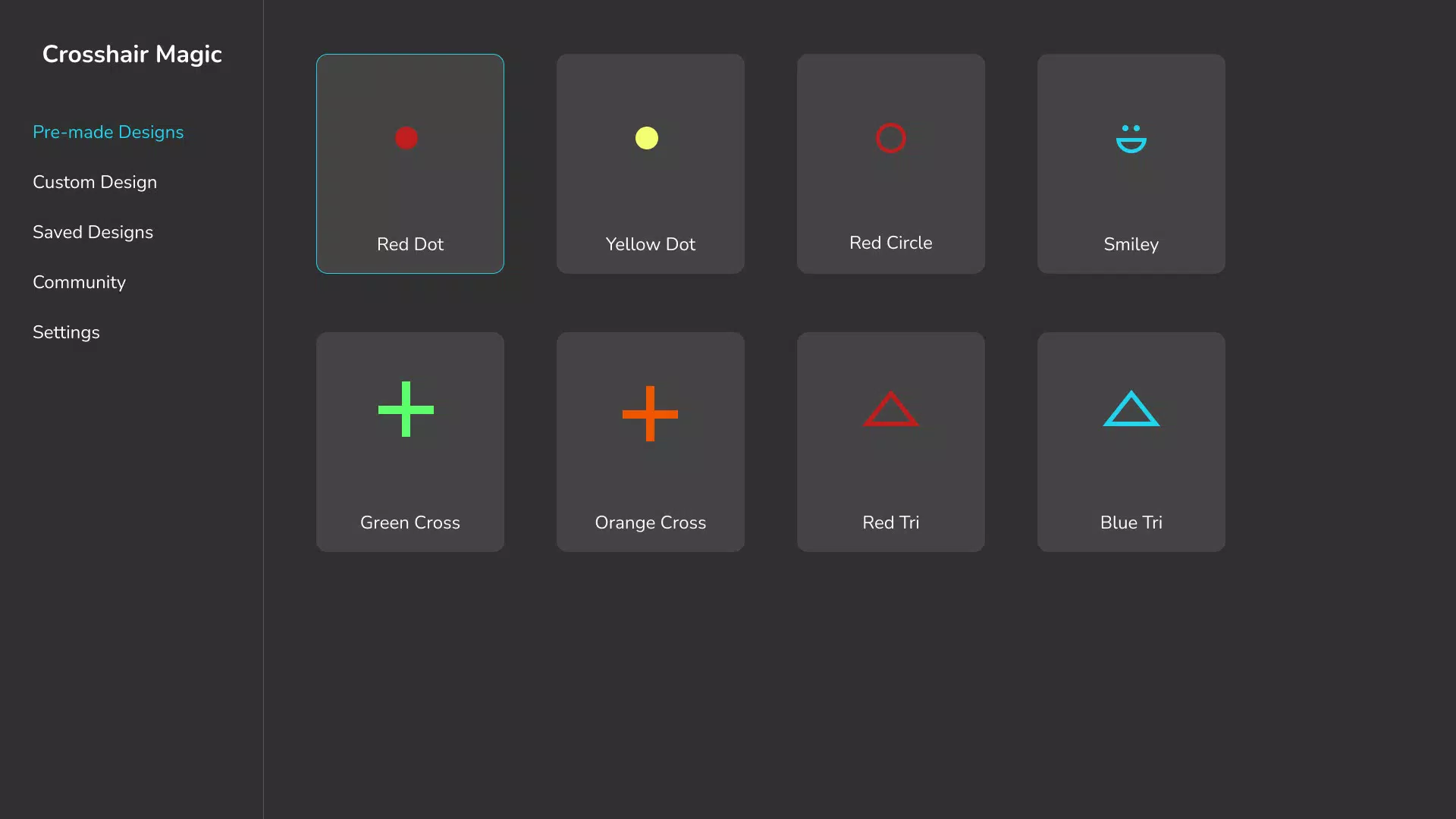
- Custom Crosshair Designs: Users can upload personal images or select from a built-in library of crosshair templates. This allows for high levels of personalization, enabling players to match their crosshair to their aesthetic preferences or gameplay strategy.
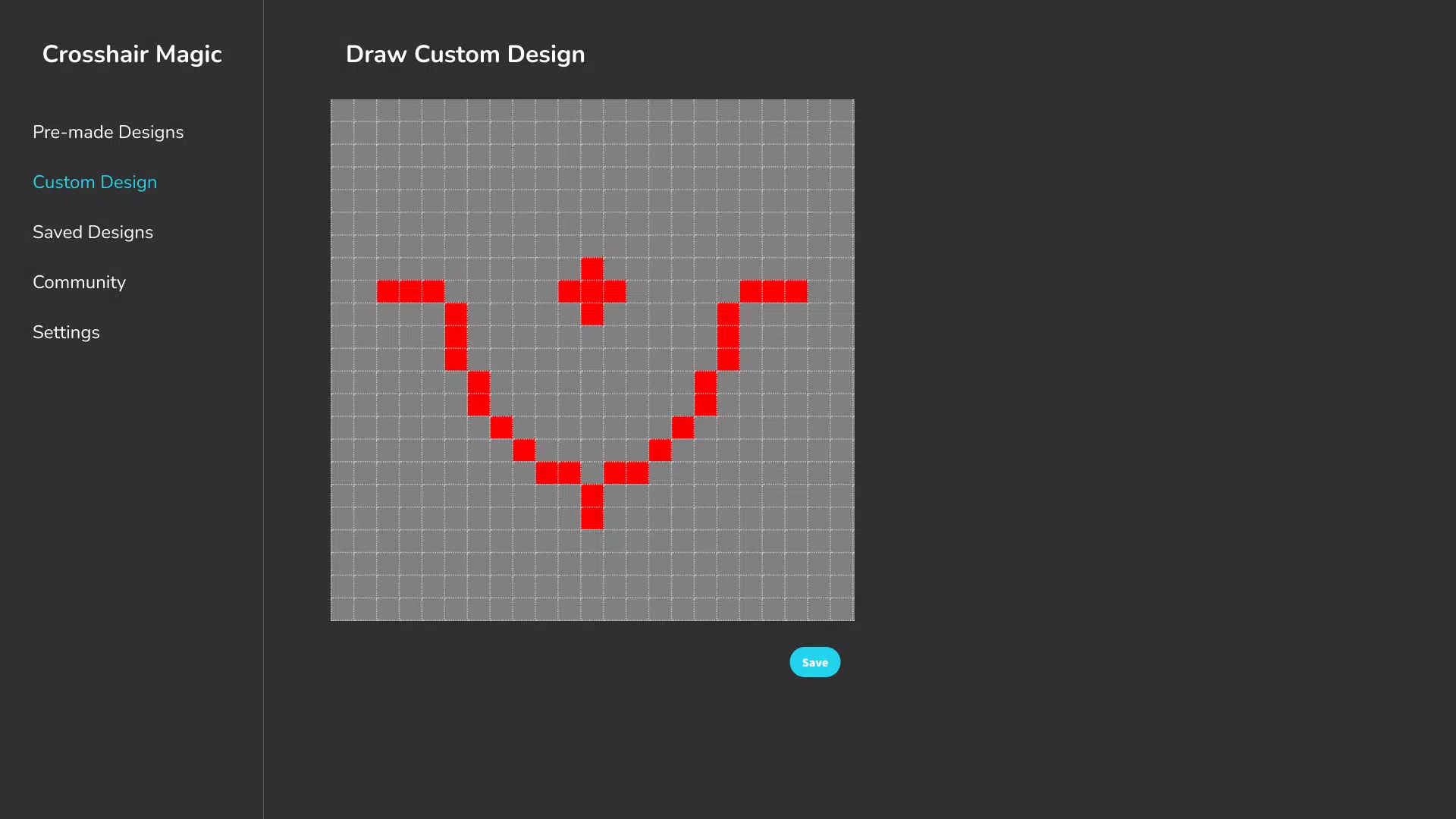
- Flexible Customization Options: The app provides tools to adjust color, thickness, shape, and size of the crosshair. A built-in pixel editor enables precise control over design elements, allowing users to experiment with subtle changes that may impact aiming precision.
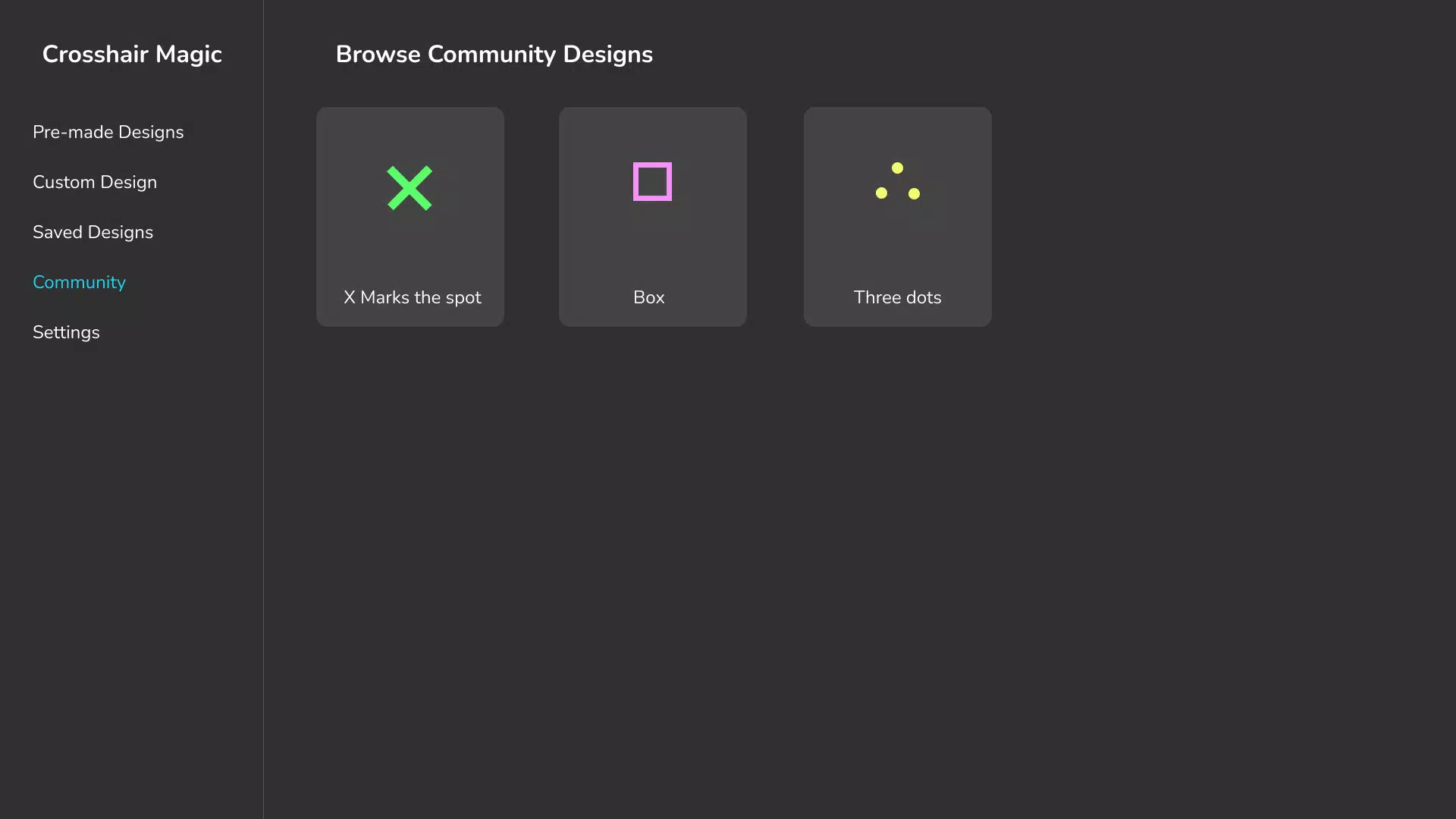
- Community Sharing Features: Crosshair designs can be shared via the Steam Workshop, promoting collaboration and inspiration. This fosters a creative ecosystem where users can discover new designs and contribute their own, enhancing the overall user experience.
- Convenient Keybinds: Customizable keybindings allow users to toggle the overlay on and off quickly during gameplay. This feature improves workflow efficiency and reduces the need to exit the game or navigate complex menus.
For example, a player preparing for a ranked match might use the pixel editor to design a thin, high-contrast crosshair with a subtle dot to minimize screen clutter. They can then save and share this design, allowing others to adopt or adapt it. Another user might use the keybind feature to disable the overlay during cutscenes or non-combat sequences, ensuring a clean visual experience.
Interface, UX & Performance
The user interface of Crosshair Magic is designed with functionality and accessibility in mind. The layout prioritizes intuitive navigation, placing core tools—such as the pixel editor, customization panel, and sharing options—within easy reach. Visual elements are clean and minimal, reducing distractions during the design process. The app’s navigation flow follows a logical sequence: create → customize → preview → share, which supports a smooth workflow for both beginners and experienced users.
Responsiveness is a key strength, with minimal lag reported during design adjustments and real-time preview rendering. Although the developer did not list formal performance metrics, the app maintains consistent frame rates and does not interfere with gameplay performance on supported devices. Stability is maintained across different screen sizes and orientations, indicating a well-optimized build for diverse Android hardware.
Users can expect reliable performance across mid-range and high-end Android devices. The app’s lightweight footprint of 25 MB suggests efficient resource management, contributing to its smooth operation. However, specific requirements for device compatibility were not disclosed, so users should ensure their device meets general Android standards for running overlay applications.
Platform Compatibility & Technical Requirements
Crosshair Magic - in game overlay is available exclusively on the Android platform. The current version is 1.2.3, with a file size of 25 MB. While the app is free to download and use, the developer did not specify minimum OS requirements or compatibility details for specific Android versions. This lack of information means users should verify their device’s operating system version before installation.
Given the app’s reliance on overlay functionality, compatibility with different Android versions may vary depending on system-level permissions and security policies. Some devices may require additional configuration to enable overlay access, particularly on newer Android releases with enhanced privacy controls. The developer did not provide information on required permissions or background processes, so users should review the app’s access requests carefully during setup.
Pros and Cons
Pros
- Free to download and use, making it accessible to a broad audience.
- Customizable crosshair designs with a built-in pixel editor for precise control.
- Seamless integration with fullscreen games via GameBar technology.
- Community sharing through Steam Workshop encourages collaboration and design innovation.
- Lightweight file size (25 MB) ensures quick installation and minimal storage impact.
Cons
- Specific OS requirements and device compatibility were not disclosed.
- Limited information on permissions and background processes.
- Reliance on external platforms like Steam Workshop may require additional user accounts.
- Performance on older or low-end Android devices was not verified.
- No official support channels or update logs were provided.
FAQ
Is Crosshair Magic free to use?
Yes, the app is available at no cost. There are no in-app purchases or subscription fees reported.
Can I use Crosshair Magic on any Android device?
While the app is designed for Android, specific compatibility requirements were not listed. Users should ensure their device meets general Android standards for running overlay applications.
Does the app require special permissions?
The developer did not disclose the exact permissions required. Users should review access requests during installation to ensure security and privacy.
How do I share my crosshair designs?
Users can share their custom crosshairs via the Steam Workshop. This requires a Steam account and access to the Workshop platform.
Is there a desktop version of Crosshair Magic?
There is no information available about a desktop version. The app is currently available only on Android.
Final Thoughts
Crosshair Magic - in game overlay stands out as a focused, user-driven tool that empowers gamers to refine their aiming interface with precision and creativity. Its blend of customization, community sharing, and seamless fullscreen integration makes it a valuable asset for competitive and casual FPS players alike. The app’s lightweight design and free access enhance its appeal, particularly for users looking to experiment without financial commitment.
While some technical details remain undisclosed, the app delivers on its core promise: a reliable, flexible overlay solution for Android users. Gamers who value personalization and performance will find significant value in its features. For those seeking to elevate their gameplay with a unique, customizable crosshair, this app offers a practical and engaging solution.
Download Crosshair Magic now


